Introducing VerseWell
Finding a verse you half-remember, whether by a phrase, a theme, or a word, means either knowing exactly where to look or scrolling through results that match the wrong thing. VerseWell is a native app for iPhone, iPad, Mac, and Android that searches the full Bible by keyword or phrase and surfaces results you can read, filter, and share without leaving the app.
What it does
Type any word or phrase and VerseWell searches from Genesis 1:1 to Revelation 22:21 in real time. Results show the full verse text without tapping through. Filter by testament or verse range to narrow down, read any result in its chapter context, and long-press to copy to the clipboard.
- Powerful Search: instantly find Bible verses by entering keywords or phrases
- Accurate Results: precise verse matching so you find what you're actually looking for
- Filter by testament or range: narrow to Old Testament, New Testament, or a custom verse range with groupings like Torah, Gospels, and Epistles
- Read in context: tap any result to open the full chapter with the matching verse highlighted
- Quick Copy to Clipboard: long-press any verse to copy it for easy sharing
- Elegant Design: distraction-free reading experience across all platforms
See it in action
Search the Bible
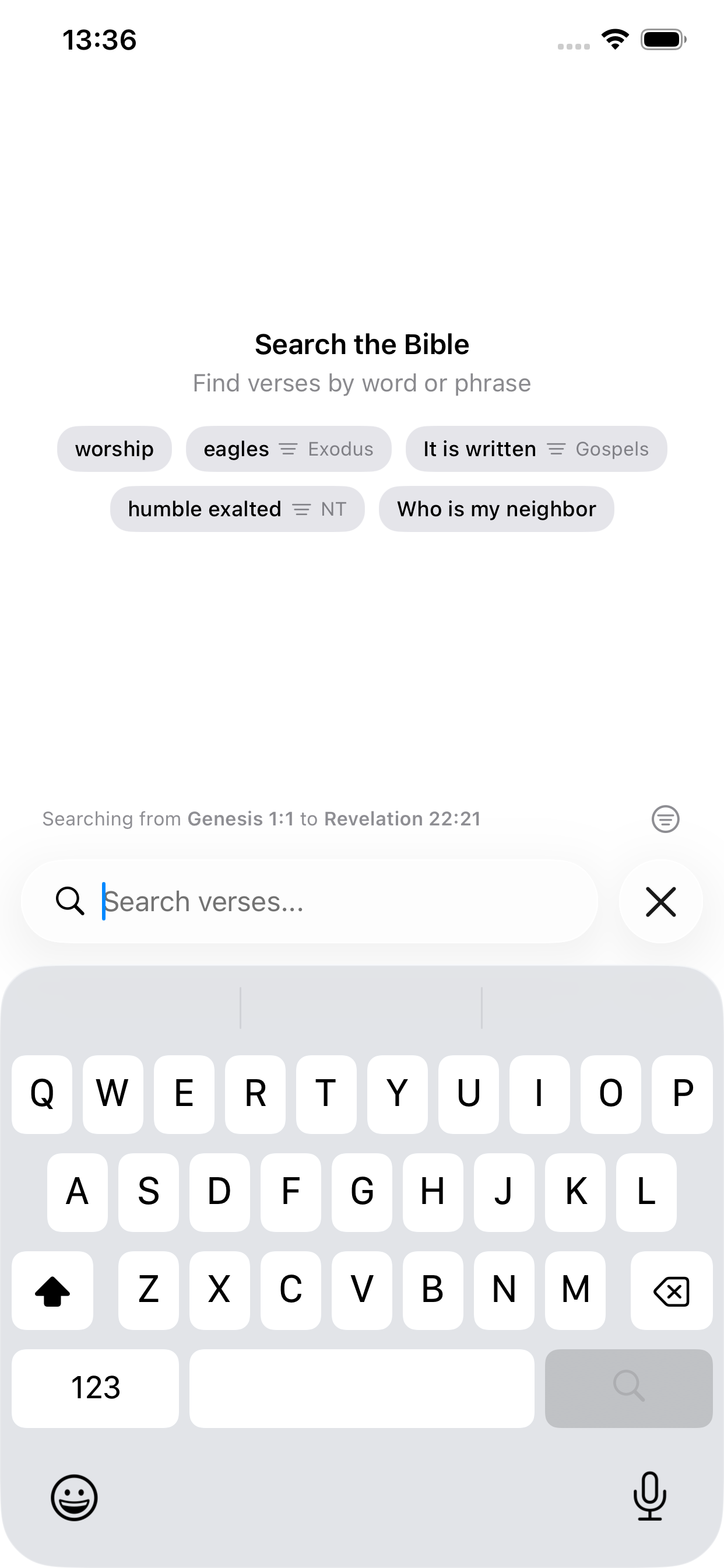
Type a word or phrase and VerseWell searches the full Bible instantly. Suggested searches help you get started. Tap one to see results straight away.
Browse results in full
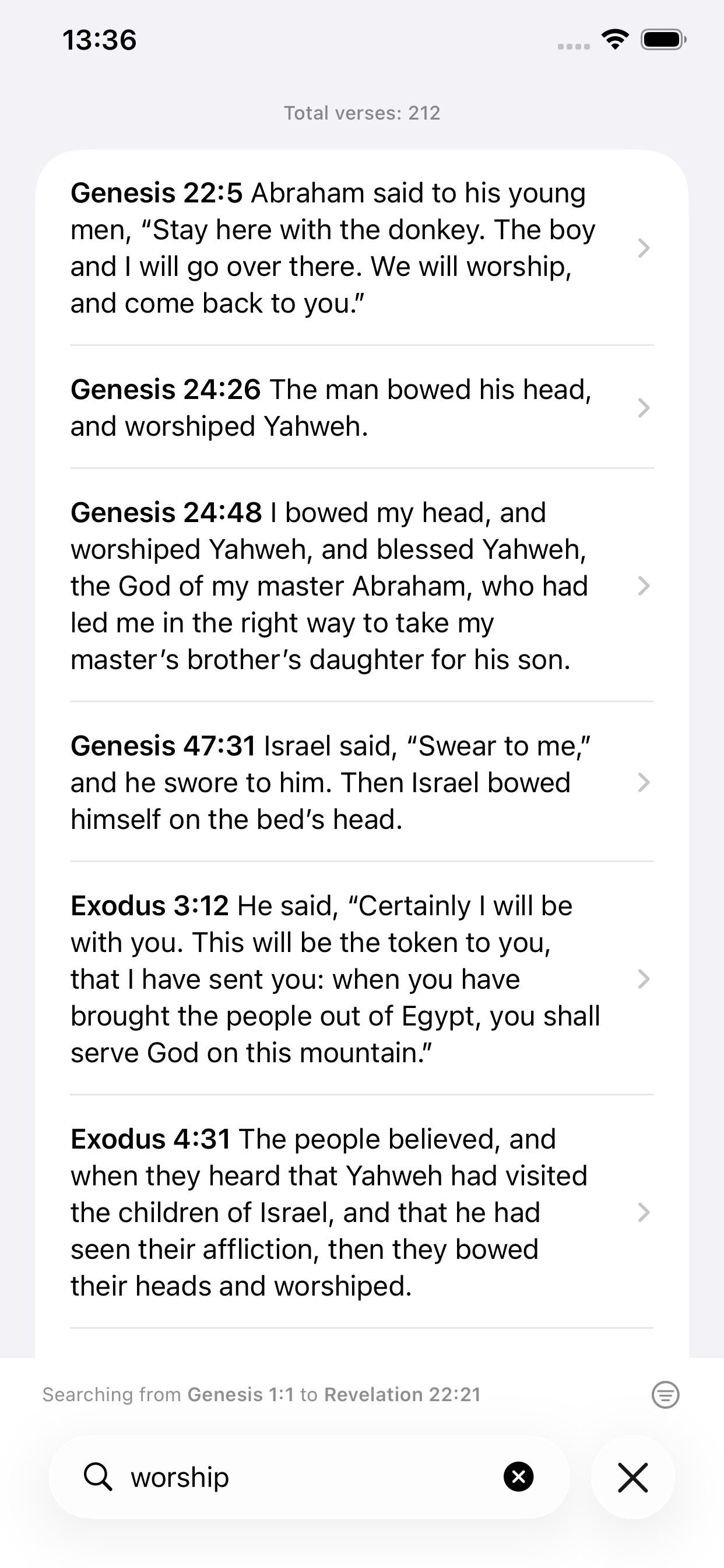
Every result shows the complete verse text alongside its reference. No tapping through to read. Just scroll to find what you're looking for.
Filter by testament or range
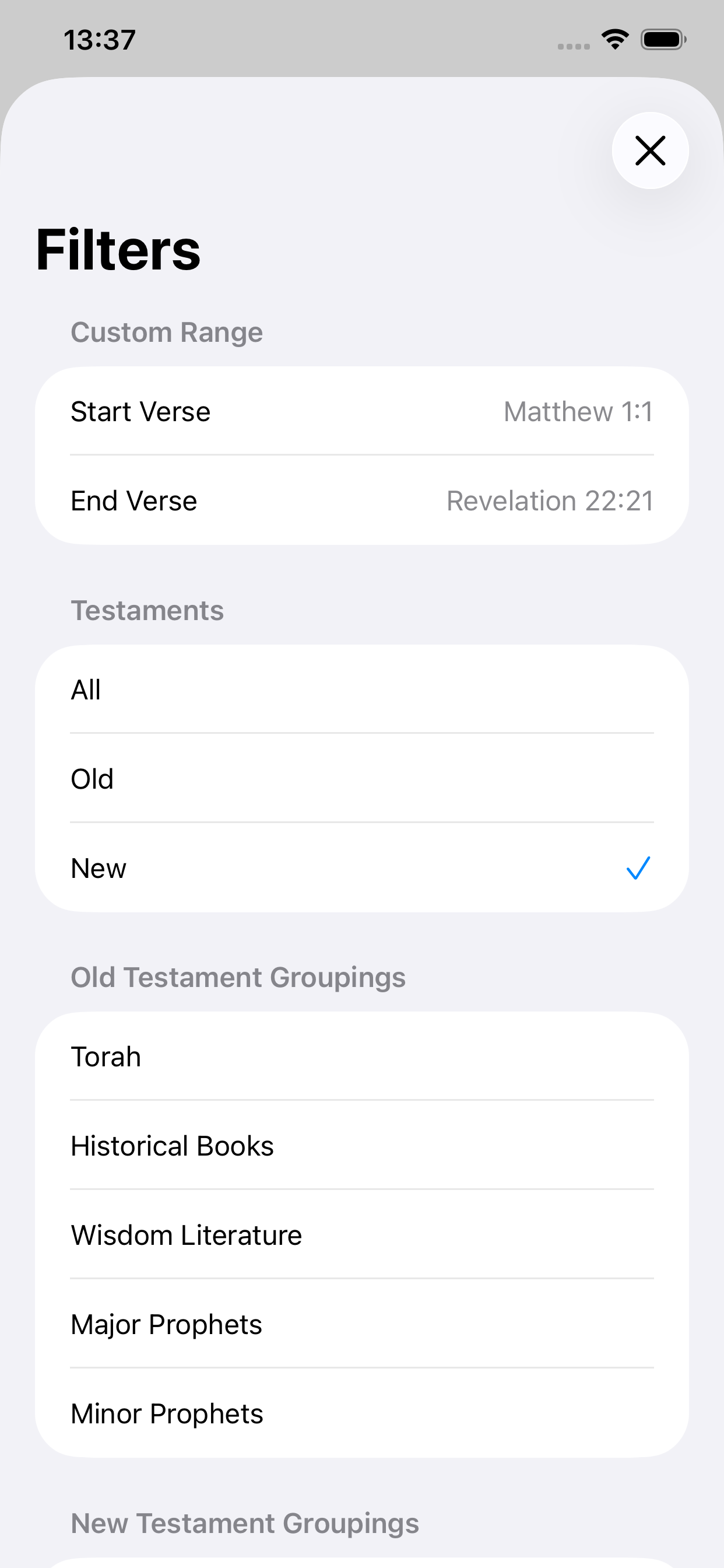
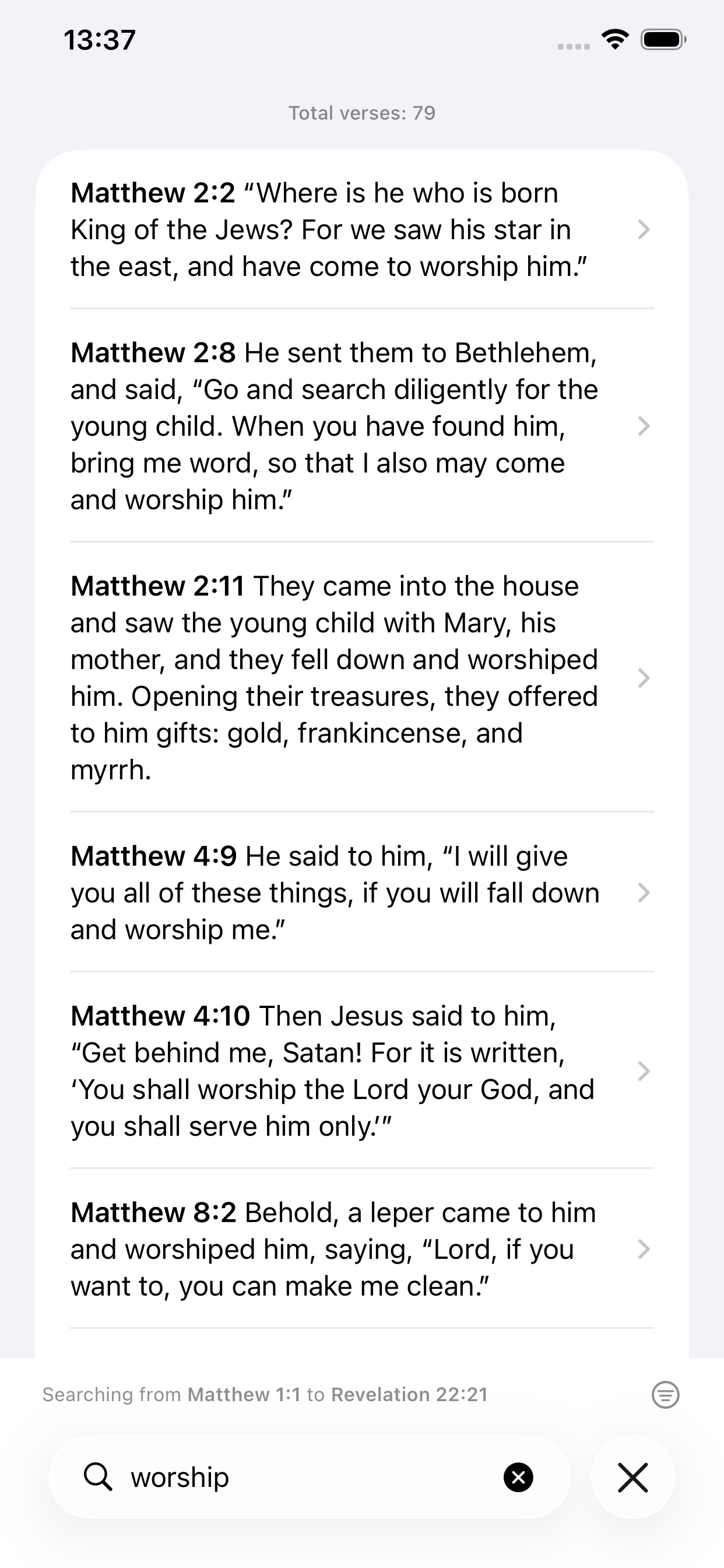
Narrow results to the Old Testament, New Testament, or a custom verse range. Filter by broad groupings like Torah, Gospels, or Epistles to zero in faster. The results list updates immediately: the same "worship" search goes from 212 verses down to 70 when scoped to the New Testament.
Read in context
Tap any result to open the full chapter. The matching verse is highlighted so you can orient yourself immediately, then read as much or as little of the surrounding text as you need.
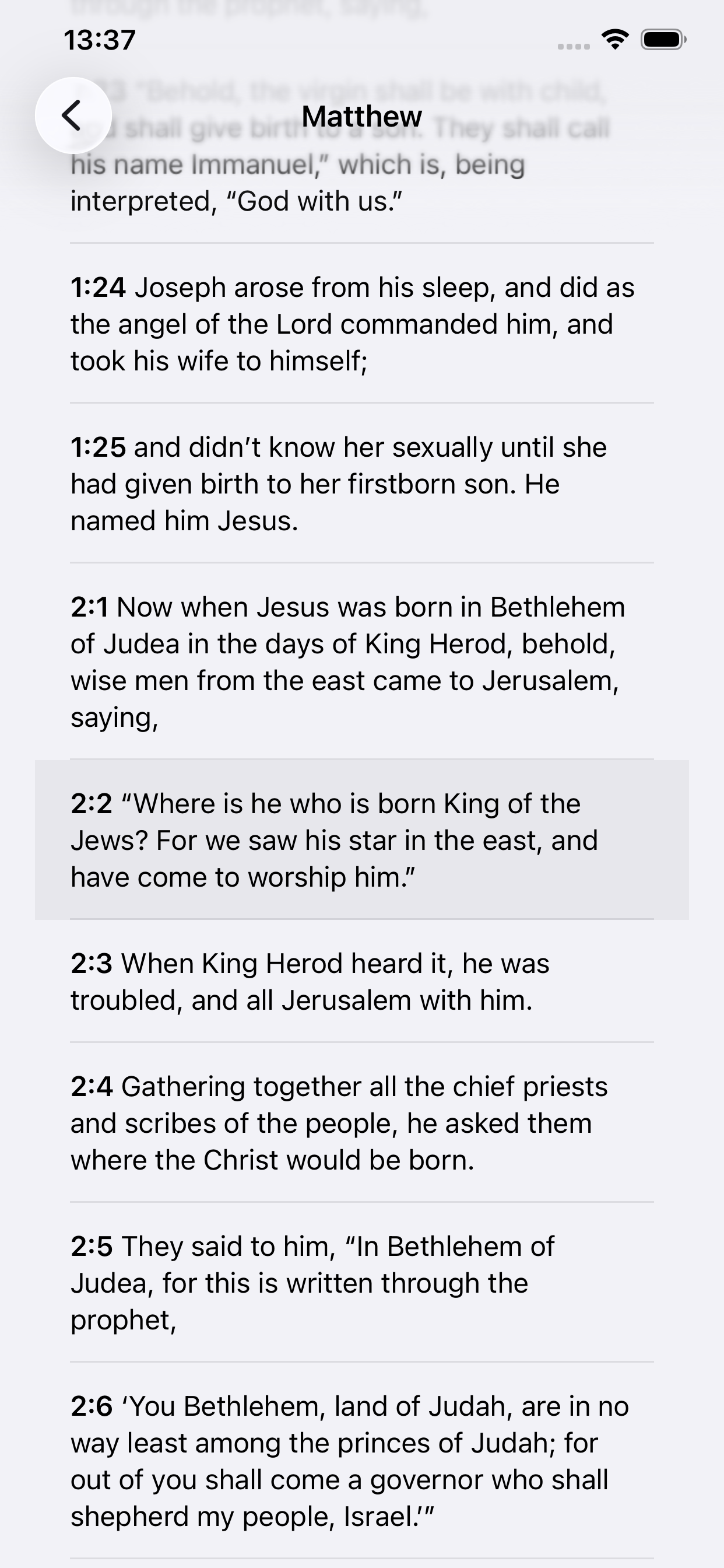
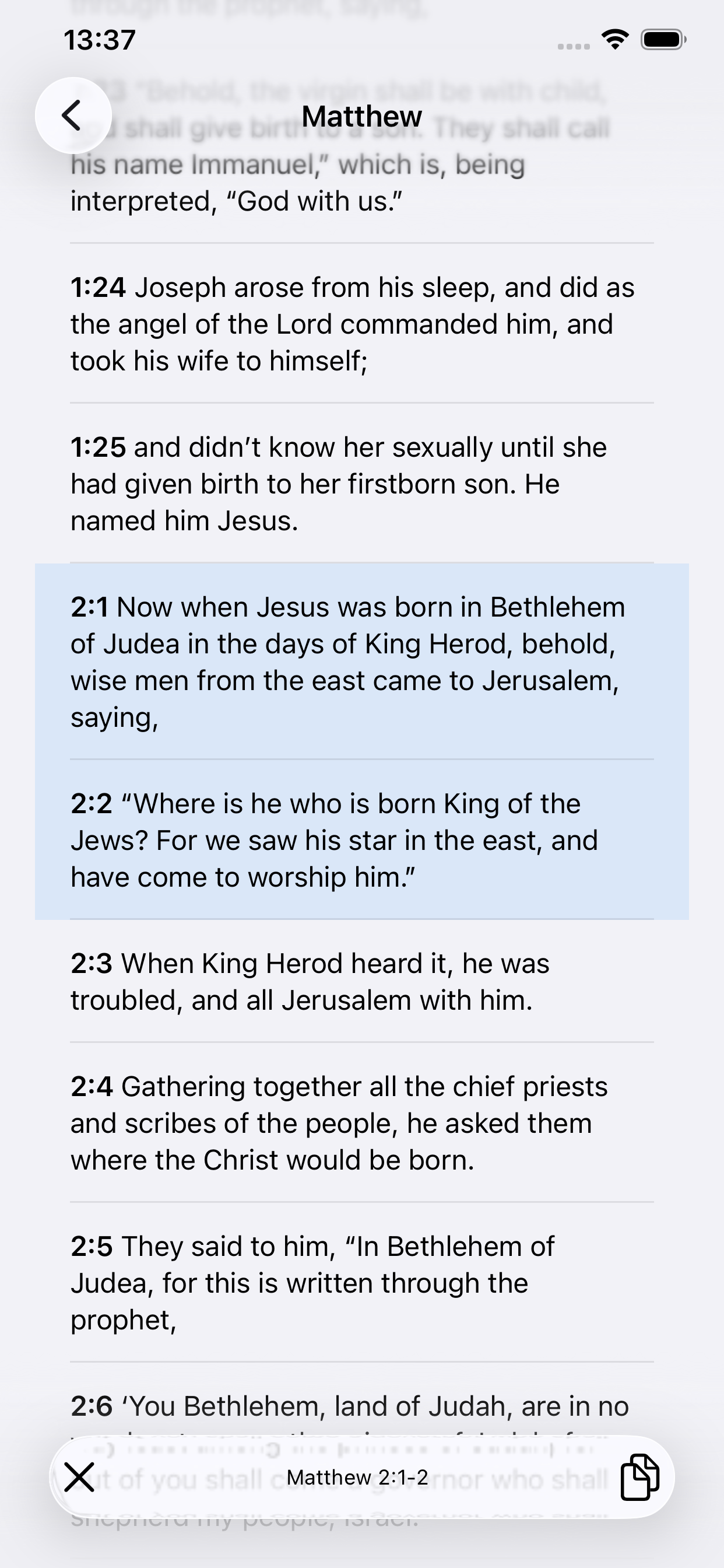
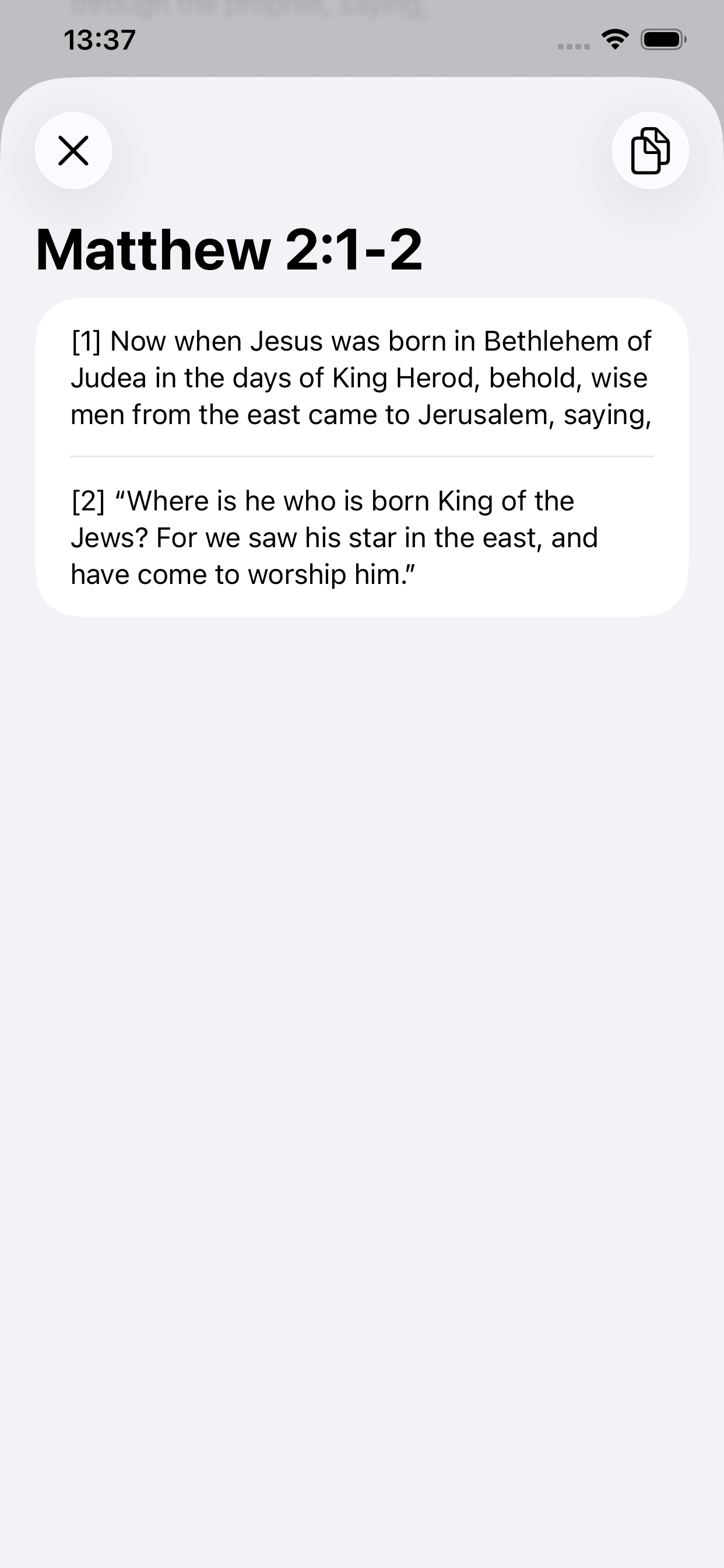
Select verses and copy or read them
Long-press any verse in the results list to copy it to the clipboard instantly. To read multiple verses together, tap to select them in the chapter view. A bottom toolbar appears showing your selection. Tap the toolbar to open all selected verses as a focused card.
Platform
VerseWell is available on the App Store for iPhone, iPad, and Mac, and on Google Play for Android.
Download VerseWell on the App Store →
Download VerseWell on Google Play →
VerseWell page · Privacy Policy · Terms of Service · Translation Info